Working or studying at your desk can be much more enjoyable and productive with the right setup. A well-designed workspace not only improves your focus but also keeps your body comfortable, reducing strain and fatigue. Whether you work from home or in an office, these desk setup tips will help you create an environment that supports your best work.
Why Desk Setup Matters
Your desk is more than just a place to put your computer. It’s a central spot where your posture, lighting, organization, and tools all come together. When these elements are aligned, you’ll find it easier to concentrate and less likely to feel tired or stressed.
Choosing the Right Desk and Chair
Ergonomic Chair
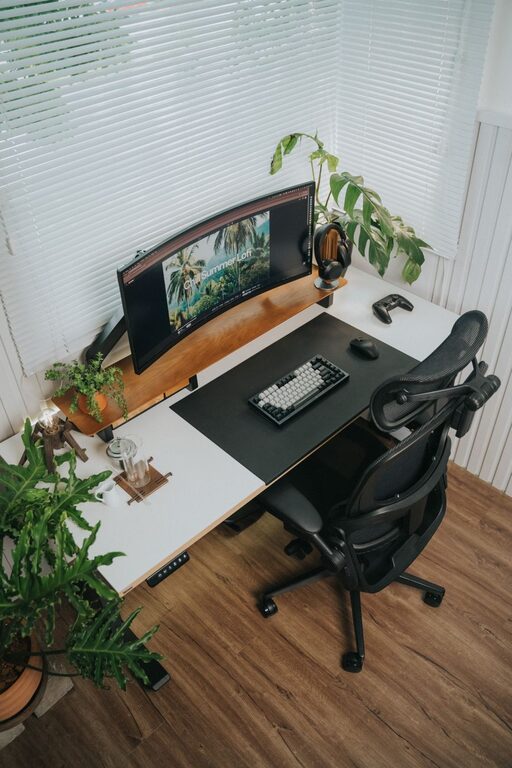
Comfort starts with a supportive chair. Look for one that:
– Has adjustable height and backrest
– Provides lumbar support to protect your lower back
– Allows your feet to rest flat on the floor or on a footrest
– Offers comfortable padding and breathable materials
Spending time adjusting your chair properly can prevent discomfort and promote better posture.
Desk Height
Your desk should be at a height where your elbows form roughly a 90-degree angle when you type or write. Adjustable desks are ideal, especially sit-stand models that let you change positions during the day. If your desk isn’t adjustable, consider using a keyboard tray or monitor riser.
Organizing Your Desk for Focus
Declutter Regularly
A cluttered desk can distract you and reduce mental clarity. Keep only essential items within reach, such as your computer, a notebook, and a pen holder. Store other supplies in drawers or shelves.
Use Desk Organizers
Trays, file holders, and drawer dividers help keep things tidy. Assign a place for everything to quickly find what you need and avoid unnecessary interruptions.
Manage Cables
Tangled cords can create visual chaos. Use cable clips or sleeves to bundle cables neatly and keep them out of the way.
Lighting: See Clearly, Feel Alert
Good lighting reduces eye strain and boosts alertness. Natural light is best, so position your desk near a window if possible. When natural light isn’t available, use a desk lamp with adjustable brightness and color temperature. Aim for soft, warm light that mimics daylight and avoid harsh glare on screens.
Monitor Placement for Neck and Eye Comfort
Your monitor should be about an arm’s length away, with the top of the screen at or just below eye level. This setup helps you maintain a neutral neck position and reduces eye strain. If you use a laptop, consider adding an external monitor or laptop stand for a better viewing angle.
Keyboard and Mouse Setup
Place your keyboard and mouse close enough that you don’t have to reach for them. Keep your wrists straight and use a wrist rest if needed to support your hands while typing. Choose a mouse that fits comfortably in your hand to avoid unnecessary strain.
Add Personal and Comfort Touches
A few personal items can make your workspace inviting and reduce stress. Consider adding:
– A small plant for a touch of nature
– A photo or artwork that makes you smile
– A water bottle to stay hydrated
– A cozy blanket or cushion for extra comfort
Just be mindful not to overcrowd your desk with distractions.
Incorporate Movement Breaks
Even with the best ergonomics, sitting for long periods isn’t ideal. Set a timer to remind yourself to stand, stretch, or walk around every 30 to 60 minutes. Movement helps improve circulation and refreshes your mind.
Keep Essential Tools Handy
Whether it’s notebooks, sticky notes, or headphones, having your frequently used items within easy reach avoids disrupting your workflow. Use shelves or desk drawers efficiently to maintain accessibility without clutter.
Final Thoughts
A desk setup tailored for focus and comfort can significantly enhance your work or study experience. By investing a little time to adjust your chair and desk height, organize your space, and improve lighting, you’re setting yourself up for success. Remember, small changes can make a big difference in how you feel and perform each day.
About the Author